
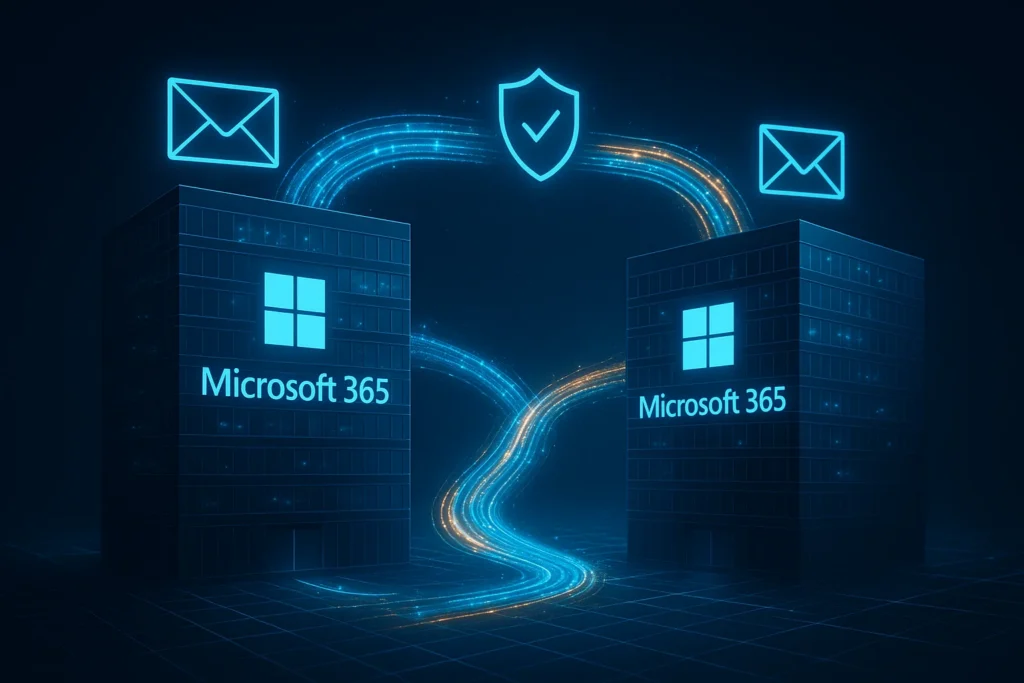
Industry: Technology Services / Mergers & Acquisitions IT Integration Region: Texas, United States Engagement Model: White-label delivery for an MSP partner Core Services: Microsoft 365 tenant migration, cloud consolidation
Quick Summary
A technology services firm acquired a smaller competitor to expand market reach — and inherited a second, independent Microsoft 365 tenant in the process. Consolidating two tenants is one of the more technically demanding projects in the Microsoft 365 world, with no native Microsoft tool that handles a full tenant-to-tenant move end to end.
TechMonarch was engaged through the acquiring firm’s MSP partner to run a structured 4-week migration consolidating 45 users, 1.2TB of mail data, 850GB of OneDrive, and 1.8TB of SharePoint content into a single tenant. The result: 100% of data migrated with zero data loss, no business outages, and under 30 minutes of average downtime per user.
Meet the Client
This client is a technology services firm that acquired a smaller competitor to expand its market reach and broaden its service offerings. Both companies had been operating on independent Microsoft 365 tenants, and post-acquisition, leadership wanted to unify operations, cut duplicate licensing costs, and simplify IT management under a single tenant.
The problem: nobody on the internal team had handled a cross-tenant migration before, and this particular flavor of Microsoft 365 project is notoriously complex — there’s no single native Microsoft tool that just does it for you.
(Note: client details have been anonymized at the customer’s request. This is a real engagement delivered through one of TechMonarch’s MSP partners.)
The Challenge: One of the Most Complex Project Types in Microsoft 365
Here’s what made this migration genuinely difficult, not just time-consuming:
The scope was substantial. 45 users, 1.2TB of mail data, 850GB of OneDrive content, 1.8TB of SharePoint, and active Teams environments on both sides — all needing to move cleanly into a single destination tenant.
There’s no native tool for full tenant-to-tenant mailbox moves. Microsoft simply doesn’t offer a built-in path for this, which is a big part of why these projects require specialized tooling and experience.
Everything needed to survive the move intact: email history, calendars, contacts, and shared mailboxes; SharePoint metadata, permissions, and version history; OneDrive access and sharing settings; and the full Teams channel and collaboration structure.
Both tenants needed to keep functioning during the transition. Cross-tenant coexistence for email, calendars, and collaboration was required throughout — employees couldn’t simply go dark while the migration happened.
Security and compliance controls had to hold throughout. A migration is exactly the kind of moment where security gaps tend to open up if you’re not careful.
Licensing overlap created real cost risk, on top of dependencies spanning VPN access, mobile devices, applications, email signatures, and shared resource mailboxes.
And there was a human factor, too. Post-acquisition change fatigue was real — employees from the acquired company were already navigating enough uncertainty without a rocky IT transition on top of it.
The Solution: A Structured 4-Week Tenant-to-Tenant Migration
We ran this as a pilot-first, phased migration using BitTitan MigrationWiz for mailboxes, ShareGate for OneDrive and SharePoint, and native methods for Teams and identity alignment.
Assessment & Planning
We started with a full audit of both tenants — users, mailboxes, OneDrive, SharePoint, Teams, groups, and policies — followed by dependency and risk analysis, and a detailed phased 4-week migration plan built around minimizing disruption to daily operations.
Coexistence Setup
We established cross-tenant mail flow and free/busy calendar sharing, configured Azure AD B2B collaboration, and pre-provisioned users and licenses in the destination tenant so the actual cutover would be as smooth as possible.
Pilot Migration
Five representative users went first. We validated Outlook, mobile access, OneDrive, and mail flow with this group, and refined the migration process based on what we learned before touching the broader user base.
Mailbox Migration
Users were migrated in waves of 10–15, with evening migrations and overnight incremental syncs. Cutover happened each morning with an average of under 30 minutes of downtime per user, and we provided direct support for Outlook and mobile reconfiguration as each wave completed.
OneDrive & SharePoint Migration
Personal OneDrive accounts migrated after mailboxes were complete. Twelve SharePoint sites moved over with full metadata and version history intact, preserved permissions, and validated workflows — nothing silently broken in the process.
Microsoft Teams Migration
We recreated the full Teams structure and memberships, migrated the associated SharePoint content, and archived historical chat for reference rather than losing it entirely.
Cutover & Decommissioning
DNS, MX, SPF, DKIM, and DMARC records were all updated for the new tenant. The old tenant was kept temporarily as a safety net before licensing was cancelled following final validation, and a full security and access cleanup closed out the project.
Training & Adoption
We ran orientation sessions for the newly-migrated users, updated support documentation to reflect the new environment, and identified department champions to provide peer support during the adjustment period.
The Results
- 100% of mailbox, OneDrive, SharePoint, and Teams data migrated with zero data loss
- No business outages during the entire project
- Under 30 minutes average per-user downtime
- All historical email, calendars, files, and permissions fully preserved
- $19,000+ in annual licensing savings from eliminating the duplicate tenant
- Unified security policies across the newly merged organization
- Simplified IT operations with a single Microsoft 365 tenant instead of two
- Improved collaboration between the two legacy companies, now genuinely working in the same environment
- 78% of users rated the migration experience as smooth or very smooth
- Full audit and compliance records preserved throughout
With the technical consolidation handled cleanly, leadership was free to focus on business and cultural integration — the harder, more human part of any acquisition — instead of getting stuck fighting IT fires.
Why the MSP Chose TechMonarch
Tenant-to-tenant migrations reward experience, and TechMonarch brought a track record of 20+ prior projects of exactly this type — not a first attempt learning on the client’s environment.
The engagement covered true end-to-end scope: mail, files, Teams, security, and users, all handled as one coordinated project rather than a series of disconnected handoffs. Our Microsoft 365 migration expertise covered every layer of the move, while the underlying cloud consolidation strategy — coexistence, phased cutover, licensing optimization — kept the business running normally throughout rather than forcing a disruptive all-at-once switch.
A pilot-first, phased rollout minimized risk by catching issues with five users before they could affect forty-five. Delivered through the white-label MSP model, the acquiring firm’s trusted provider retained the client relationship throughout. Just as importantly, the engagement treated change management as seriously as data movement — orientation, documentation, and peer champions were built in from the start, recognizing that a technically flawless migration can still fail if people feel lost in the middle of it.
Frequently Asked Questions
Why are Microsoft 365 tenant-to-tenant migrations considered so complex? There’s no single native Microsoft tool that handles a full tenant-to-tenant move — mailboxes, OneDrive, SharePoint, and Teams each require different migration approaches, and everything needs to keep functioning for users throughout the transition. This is a common scenario after mergers and acquisitions, where two companies each have their own independent Microsoft 365 tenant.
How much downtime should a company expect during a tenant-to-tenant migration? With proper planning, very little. In this engagement, mailboxes were migrated in waves using evening migrations with overnight incremental syncs, resulting in an average of under 30 minutes of downtime per user during morning cutover.
Can Teams channels and chat history survive a tenant-to-tenant migration? Yes, with the right approach. In this case, the full Teams structure and memberships were recreated in the destination tenant, associated SharePoint content was migrated alongside it, and historical chat was archived for reference rather than lost.
Can a tenant-to-tenant migration project like this be delivered white-label for an MSP’s clients? Yes — this entire engagement was delivered white-label, with TechMonarch handling the technical migration and change management while the MSP retained full ownership of the client relationship.
Supporting a merger, acquisition, or IT consolidation? TechMonarch specializes in Office 365 tenant-to-tenant migrations for MSP partners across the United States, supporting mergers, acquisitions, and IT consolidations with zero-disruption execution. Let’s talk.
Recent Comments
- No comments to show