
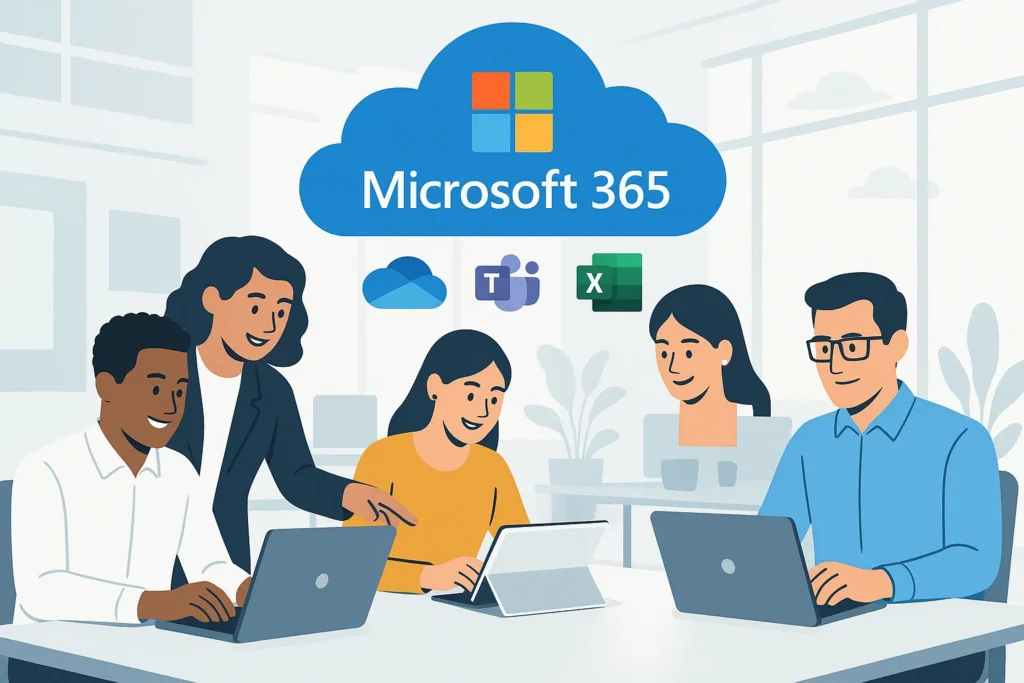
Industry: Management Consulting Region: Pacific Northwest, United States Engagement Model: White-label delivery for an MSP partner Core Services: Microsoft 365 migration, device management, modern workplace transformation
Quick Summary
A 75-employee management consulting firm was advising mid-market technology clients on digital transformation — while running its own business on Exchange 2010, VPN-dependent file servers, and a scattered mix of disconnected collaboration tools. COVID-driven remote work exposed exactly how fragile that setup really was: slow VPN performance, poor mobile access, unreliable email, and mounting security risk.
TechMonarch implemented a full Microsoft 365 modern workplace transformation through the firm’s MSP partner over 8 weeks. The result: true remote work without VPN, a 35% drop in internal email volume after Teams adoption, and roughly 30% lower total IT ownership cost — all with zero business downtime during migration.
Meet the Client
This client is a 75-employee management consulting firm serving mid-market technology companies across the Pacific Northwest — the kind of firm whose job is literally advising other companies on digital transformation.
Which made the state of their own workplace a bit ironic. Behind the scenes, they were running on unsupported Exchange 2010, VPN-dependent file servers, and disconnected chat, meeting, and file-sharing tools that never quite talked to each other. It worked well enough in an office-based world. The shift to full remote work during COVID made it clear that world was over.
(Note: client details have been anonymized at the customer’s request. This is a real engagement delivered through one of TechMonarch’s MSP partners.)
The Challenge: A Consulting Firm Held Back By Its Own Infrastructure
The legacy environment was quietly limiting mobility, collaboration, and security across the board:
Exchange 2010 was a genuine liability. Unsupported and aging, it created real stability and security risk every day it stayed in production.
VPN-based file access was slow and messy. Beyond the performance hit, it introduced version control issues — the classic problem of two people editing “the real” copy of a document at the same time without realizing it.
Collaboration tools were fragmented. Chat, meetings, and file sharing lived in separate, disconnected systems, none of which worked particularly well together.
Field consultants struggled on mobile. For a consulting firm whose people are constantly at client sites, poor mobile productivity was a direct hit to billable work.
Security was thin. No MFA, limited encryption, and no Data Loss Prevention for sensitive client data — a real exposure for a firm handling confidential information from other companies.
IT was drowning in maintenance. A three-person IT team was carrying a heavy server maintenance burden, on top of the capital expense of keeping aging infrastructure alive.
Leadership realized a full modern workplace transformation wasn’t optional anymore — it was overdue. The firm’s MSP partner brought in TechMonarch to design and implement a Microsoft 365–based solution.
The Solution: A Full Microsoft 365 Modern Workplace, Delivered in 8 Weeks
We built the new environment around the full Microsoft 365 platform: Exchange Online, OneDrive, SharePoint, Teams, and the Office apps; Azure AD with MFA and Conditional Access; Data Loss Prevention, information protection, and threat protection; Intune for device and app management; and Windows Autopilot for zero-touch device deployment.
Exchange Migration
We migrated 75 mailboxes — about 850GB of data — to Exchange Online using a hybrid deployment approach, with zero business downtime throughout the transition.
File Migration
2.3TB of files moved to SharePoint and OneDrive, organized into structured team and project sites rather than just replicating the old VPN file share structure — a real opportunity to fix years of folder sprawl in the process.
Teams Deployment
Chat, meetings, file collaboration, and calling were unified into a single platform, replacing the fragmented tools that had never quite integrated with each other.
Device Management
Every company device was brought under Intune management with defined compliance policies, giving IT real visibility and control instead of a patchwork of unmanaged laptops.
User Adoption
We ran live training sessions, built role-based guides, identified department champions to drive adoption from within, and monitored actual usage — because a modern workplace that nobody actually uses isn’t really modern, it’s just expensive.
Ongoing Optimization
Post-launch, we established governance policies, quarterly reviews, and a continuous feature rollout process so the environment keeps improving rather than slowly drifting back into disorganization.
The Results
- True remote work enabled without VPN
- 40% faster document discovery through SharePoint search
- 35% drop in internal email volume after Teams adoption
- 20% faster proposal development through real-time collaboration
- Stronger security with MFA, DLP, and advanced threat protection in place
- 25–30 hours per week recovered by IT after removing on-prem servers entirely
- ~30% lower total IT ownership cost, with predictable monthly licensing replacing unpredictable capital expense
- 87% user satisfaction with the new workplace tools
- Improved client confidence and greater flexibility in recruiting, since the firm could now credibly support remote and hybrid staff
Why the MSP Chose TechMonarch
The firm needed proven, end-to-end expertise in Microsoft 365 transformations — not just a migration vendor checking boxes, but a partner focused on whether people would actually use and benefit from the new environment.
At the core of the transformation was deep Microsoft 365 platform expertise, covering everything from the Exchange and SharePoint migration itself to the security layer built on top of it. That was paired with endpoint and device management through Intune and Windows Autopilot, giving the three-person IT team real control over every device without adding to their already-heavy workload.
The phased rollout minimized disruption and delivered early wins the firm could feel — remote work without VPN frustration, faster document search, less email clutter — rather than one disruptive big-bang cutover. Delivered through the white-label model, the engagement supported the firm’s existing MSP relationship throughout, with long-term governance, documentation, and roadmap support built in rather than treated as a one-time project.
Frequently Asked Questions
How long does a full Microsoft 365 modern workplace migration typically take? It depends on the environment’s size and complexity, but in this engagement, the full transformation — Exchange migration, file migration, Teams deployment, device management, and user adoption — was completed in 8 weeks, with zero business downtime during the mailbox migration.
Can you migrate to Microsoft 365 without any downtime? Yes, when a hybrid deployment approach is used correctly. In this case, 75 mailboxes (roughly 850GB) were migrated to Exchange Online using hybrid deployment with zero business downtime throughout the process.
Does moving to Microsoft 365 actually reduce IT costs? Often, yes — largely by eliminating on-prem server maintenance and replacing unpredictable capital expense with predictable monthly licensing. In this engagement, the firm saw roughly 30% lower total IT ownership cost, plus 25–30 hours per week freed up for the internal IT team after removing on-prem servers.
Can a modern workplace transformation like this be delivered white-label for an MSP’s clients? Yes — this entire engagement was delivered white-label, with TechMonarch handling the technical migration and rollout while the MSP retained full ownership of the client relationship.
Ready to move to a secure, cloud-based modern workplace? TechMonarch delivers modern workplace transformations using Microsoft 365 for MSP partners across the U.S., helping organizations move to secure, cloud-based productivity environments. Let’s talk.
Recent Comments
- No comments to show