
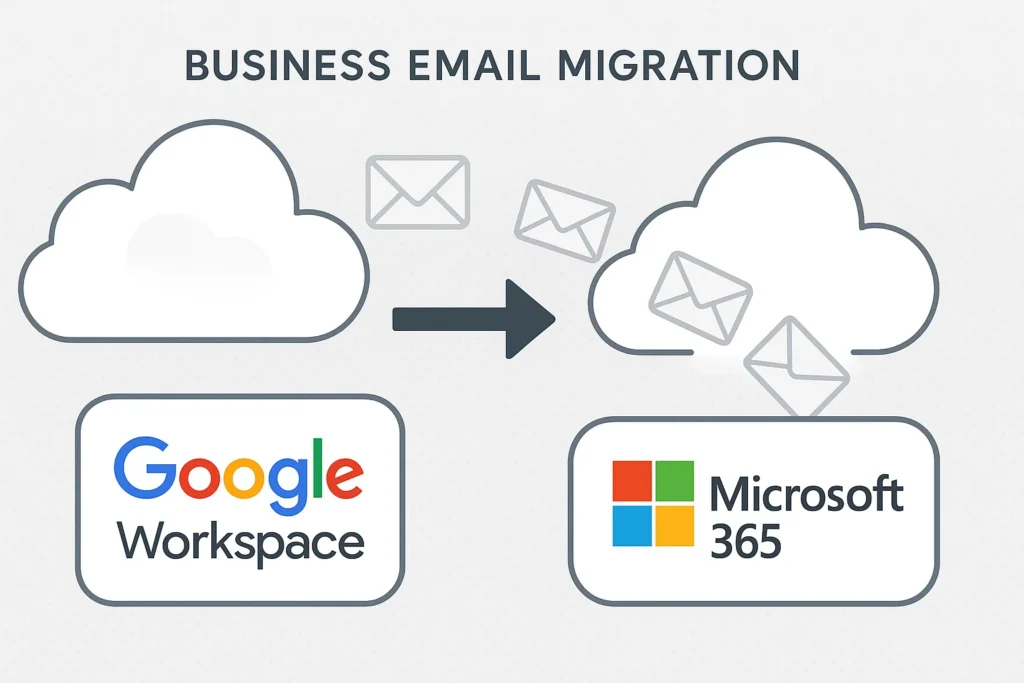
Industry: Digital Marketing / Creative Agency Region: Texas, United States Engagement Model: White-label delivery for an MSP partner Core Services: Cross-platform migration, Microsoft 365 setup, security & compliance
Quick Summary
A 95-employee digital marketing agency had run on Google Workspace since 2012 — but as they scaled and took on more enterprise clients running Microsoft environments, collaboration friction, growing compliance requirements, and deeper CRM integration needs made the case for switching platforms hard to ignore. With no internal cross-platform migration experience, the risk of getting it wrong was real: 10+ years of Gmail history and 8.5TB of Drive data, much of it embedded in creative team workflows.
TechMonarch led a 6-week phased migration to Microsoft 365 through the agency’s MSP partner. The result: 100% of 95 mailboxes and all 8.5TB of Drive data migrated with zero data loss and zero unplanned downtime, completed exactly on the planned 6-week timeline, with 98% daily Outlook adoption inside 60 days.
Meet the Client
This client is a 95-employee digital marketing agency serving enterprise and mid-market clients across the U.S. They’d built their entire operation on Google Workspace since 2012 — Docs, Sheets, Slides, Forms, and Meet were baked into daily workflows, especially for the creative team.
But as the agency grew, cracks started showing. Collaboration with Microsoft-based enterprise clients created friction. Compliance requirements were increasing. And deeper CRM integration needs kept pointing toward the Microsoft ecosystem. Leadership decided it was time to move — the hard part was doing it without disrupting client delivery.
(Note: client details have been anonymized at the customer’s request. This is a real engagement delivered through one of TechMonarch’s MSP partners.)
The Challenge: A Decade of Google-Native Workflows, Zero Room for Disruption
This wasn’t a small lift-and-shift. Here’s what made it genuinely high-risk:
The data volume was substantial. 95 users, 3.2TB of Gmail data representing over 10 years of history, and 8.5TB of Google Drive data — split between 4.8TB of personal Drives and 3.7TB spread across 23 Google Shared Drives.
Everything was deeply Google-native. Complex calendar history with recurring meetings and external sharing, heavy use of Google Docs, Sheets, Slides, Forms, and Meet, and extensive client-facing file sharing that couldn’t simply be dropped mid-project.
Creative teams lived inside Google’s workflow. For a lot of the agency’s designers and creatives, Google Workspace wasn’t just email — it was how they worked every single day, making adoption risk as real as technical risk.
There was no internal expertise to lean on. Nobody in-house had handled large-scale Microsoft 365 administration or a migration of this scale before.
The business timeline had zero tolerance for downtime. An agency’s whole value proposition rests on being reliably available to clients — a rocky migration would have been visible in exactly the wrong way.
The agency needed a phased, coexistence-based migration with airtight data integrity and real structured user adoption — not just a technically successful cutover that nobody actually knew how to use afterward.
The Solution: A 6-Week Phased Migration Covering Email, Files, Collaboration, and Adoption
We used BitTitan MigrationWiz for Gmail, calendars, and contacts, and SysTools’ Google Workspace to Office 365 tool for Drive and Shared Drive content, building out the destination environment on Microsoft 365 Business Premium and E3 — Exchange Online, OneDrive, SharePoint, Teams, Azure AD, MFA, DLP, and sensitivity labels.
Assessment & Planning
We audited all 95 mailboxes, 8.5TB of Drive data, 23 Shared Drives, and 340+ calendars, mapped which Google-native file formats would need conversion, identified high-risk users and heavy data owners who’d need extra attention, and built a structured 6-week phased plan around it all.
Microsoft 365 Tenant & Security Setup
We provisioned the tenant and configured domains, built out the Exchange Online, OneDrive, and SharePoint architecture, and enabled MFA, Conditional Access, DLP, and sensitivity labels from the start. SharePoint was specifically structured to replace the agency’s 23 Google Shared Drives, and mail coexistence was configured to support a phased cutover rather than an all-at-once switch.
Pilot Migration (8 Users)
We validated email, calendar, Drive, and permissions migration with a pilot group of 8, specifically testing Google Docs-to-Office format conversion — one of the trickier parts of this kind of migration — and refined the cutover process and training materials based on what we learned.
Phased Department Migrations
Migration proceeded department by department:
- Week 1: Operations & Finance (20 users)
- Week 2: Account Management & Strategy (35 users)
- Week 3: Creative Team (30 users)
Email and Drive data were pre-staged ahead of each wave, with weekend cutovers keeping per-user switch time to 30–45 minutes. File migration to OneDrive and SharePoint ran in parallel, and external sharing links were remapped to point to their new SharePoint locations.
Shared Drive to SharePoint Consolidation
We built out department sites, project sites, and archive libraries to replace the old Shared Drive structure, preserved permissions and version history throughout, and replaced and communicated new sharing links so external clients never hit a dead end.
Mail Flow Cutover & Decommissioning
MX, SPF, DKIM, and DMARC records were updated for the new environment. A 30-day Gmail forwarding safety net and 60-day read-only Google Workspace retention gave everyone a comfortable buffer before final decommissioning.
Training & Adoption
We delivered live training, on-demand videos, and quick reference guides, with role-based training tailored separately for creatives, account managers, and leadership — recognizing that a designer and a finance lead need very different things from a “how to use Outlook” session. Department champions and post-migration office hours kept support available well past go-live.
The Results
- 100% of 95 mailboxes migrated with zero data loss
- 8.5TB of Drive data fully migrated
- Zero unplanned email downtime
- Completed within the planned 6-week timeline
- 98% daily Outlook adoption
- 89% OneDrive sync adoption
- 76% active Teams usage
- 71% of users fully comfortable with the new environment within 60 days
- Creative team adoption improved to 68% preference for Office — a notable shift for the group most embedded in Google workflows
- Significantly improved client collaboration with Microsoft-based enterprise clients
- Strengthened enterprise security posture with DLP and compliance controls in place
- 20% reduction in IT administration effort
- Multiple third-party security and compliance tools eliminated, since Microsoft 365’s native controls covered the same ground
- The agency went on to support new enterprise client acquisitions post-migration — exactly the kind of business the platform switch was meant to unlock
Why the MSP Chose TechMonarch
Cross-platform migrations carry real adoption risk on top of technical risk, and TechMonarch brought a track record of 30+ Google Workspace to Microsoft 365 projects along with a genuine focus on change management, not just data movement.
At the core of the engagement was deep Microsoft 365 platform expertise, covering everything from the SharePoint architecture that replaced the agency’s Shared Drives to the training program built specifically around agency workflows. That was paired with a strong security and compliance foundation — DLP, sensitivity labels, and Conditional Access — that let the agency retire multiple third-party tools it had been running to compensate for gaps in its old environment.
A deep understanding of agency workflows and client delivery pressure meant the migration respected the reality that this team couldn’t afford to look disorganized to clients mid-transition. Pilot-first, phased execution minimized risk at every stage, and a transparent approach to the real challenges of user transition — rather than pretending adoption would be automatic — is a big part of why 71% of users reported full comfort within 60 days.
Frequently Asked Questions
How long does a Google Workspace to Microsoft 365 migration typically take for a mid-sized company? It depends heavily on data volume and organizational complexity, but in this engagement — 95 users, 3.2TB of Gmail data, and 8.5TB of Drive data — the full migration was completed within a planned 6-week timeline.
What happens to Google Docs, Sheets, and Slides during a migration to Microsoft 365? They need to be converted to Office-native formats, which is one of the more technically involved parts of this kind of migration. In this engagement, format conversion was specifically validated during an 8-user pilot phase before being applied at scale, to catch conversion issues before they affected the wider team.
How do you get creative or design-heavy teams to actually adopt Microsoft 365 after years on Google Workspace? Role-specific training matters more than generic onboarding. In this case, creative teams received training tailored to their actual workflows rather than a one-size-fits-all Outlook tutorial, and creative team preference for the new Office environment reached 68% within 60 days.
Can a Google Workspace to Microsoft 365 migration like this be delivered white-label for an MSP’s clients? Yes — this entire engagement was delivered white-label, with TechMonarch handling the technical migration and adoption program while the MSP retained full ownership of the client relationship.
Considering a move from Google Workspace to Microsoft 365? TechMonarch specializes in cross-platform migrations between Google Workspace and Microsoft 365 for MSP partners across the United States — delivering secure, disruption-free platform transitions with full user adoption support. Let’s talk.
Recent Comments
- No comments to show