
Industry: Property & Casualty Insurance Region: Virginia, United States Engagement Model: White-label delivery for an MSP partner Core Services: Exchange hybrid migration, Microsoft 365 email, security & compliance
Quick Summary
A regional property and casualty insurance provider with 220 employees across nine locations had run Exchange Server 2013 for years — but rising maintenance costs, 5GB mailbox limits forcing constant cleanup, weak threat protection, and an $80K+ pending hardware refresh made staying on-prem increasingly hard to justify. For an insurance operation, email is mission-critical, so zero downtime and zero data loss weren’t negotiable.
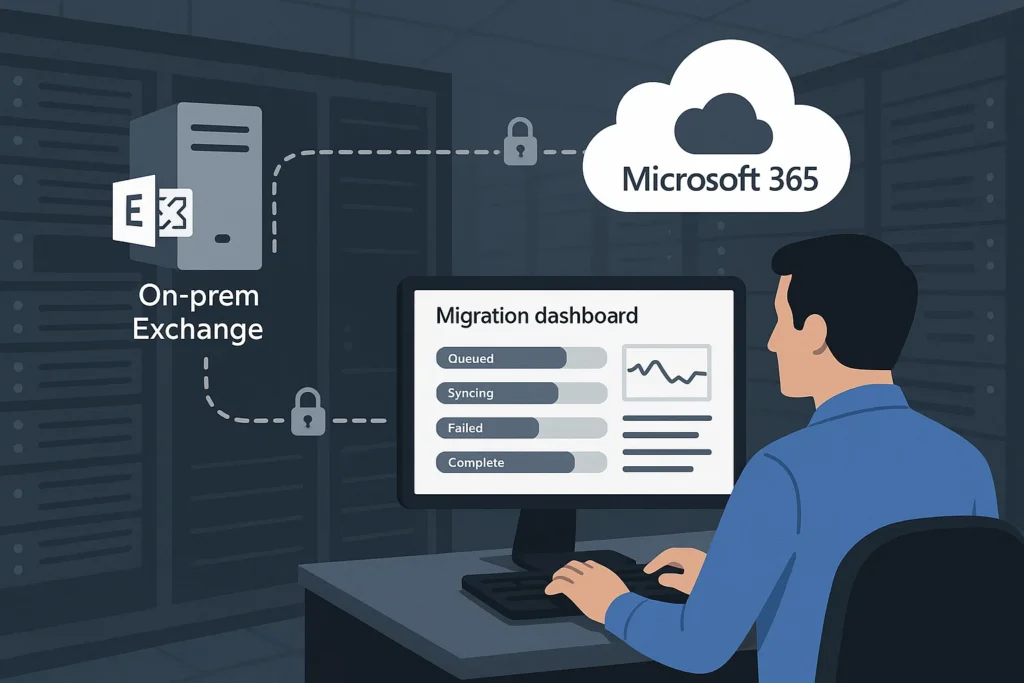
TechMonarch designed and executed an 8-week Exchange Hybrid Migration through the insurer’s MSP partner, keeping on-prem and Microsoft 365 running side by side throughout. The result: all 220 mailboxes migrated with zero data loss and zero unplanned outages, and 340+ phishing attacks blocked by new threat protection in the first six months alone.
Meet the Client
This client is a regional property and casualty insurance provider with 220 employees spread across headquarters and eight branch offices. Their on-prem Exchange Server 2013 environment had served them faithfully for years — right up until it started actively working against them.
Rising maintenance costs, shrinking practical storage, security gaps, and aging hardware pushed leadership to finally modernize. But with email this central to daily insurance operations — client communications, claims correspondence, underwriting — there was zero appetite for risk in how that modernization happened.
(Note: client details have been anonymized at the customer’s request. This is a real engagement delivered through one of TechMonarch’s MSP partners.)
The Challenge: An Aging Exchange Environment Becoming an Operational Risk
Here’s what nine years on Exchange 2013 had produced:
Storage was constantly a problem. 220 mailboxes totaled 950GB, but 5GB per-mailbox limits forced constant manual cleanup and local archiving — busywork that never actually solved the underlying capacity issue.
IT was spending real time just keeping the lights on. 15–20 IT hours per week went toward Exchange maintenance alone — time that could have gone toward more strategic work.
Mobile reliability was weak, a real problem for field agents who needed dependable email access away from the office.
Security was thin. Weak anti-phishing protection, no real Data Loss Prevention, and minimal threat protection left the environment more exposed than an insurance company handling sensitive client data should be.
Archiving was expensive and redundant. A third-party email archiving solution was layered on top of Exchange just to compensate for its storage limitations — an extra cost that shouldn’t have been necessary.
Disaster recovery capability was uncertain, and nobody could confidently say what would happen to email in a real outage scenario.
The financial picture was getting worse, not better. An $80K+ hardware refresh was already pending, on top of roughly $55K in annual on-prem email infrastructure costs. And regulatory and audit pressure specific to the insurance industry kept increasing on top of all of it.
The insurer needed a safe, phased migration that kept the business running without interruption throughout — not a weekend cutover and a prayer.
The Solution: An 8-Week Exchange Hybrid Migration With Full Coexistence
We built the migration around a genuine hybrid architecture — on-prem Exchange and Microsoft 365 running side by side throughout the project, with rollback capability at every stage — using Microsoft 365 Business Premium, Exchange Online Plan 2, Azure AD Connect, native Exchange Hybrid Configuration, Microsoft Defender for Office 365, and Microsoft Purview Compliance.
Assessment & Planning
We audited all 220 mailboxes, shared mailboxes, room resources, mail flow, and mobile devices, assessed mailbox sizes and compliance needs against available WAN capacity, and built a phased 8-week migration plan that included rollback capability at every stage — not just a best-case-scenario plan.
Microsoft 365 & Identity Setup
We provisioned the tenant and configured domains, set up Azure AD Connect for user synchronization, and preconfigured security, retention, and compliance policies before a single mailbox moved.
Hybrid Deployment
We implemented a full Exchange hybrid architecture, enabling cross-environment mail flow, free/busy calendar sharing, and mailbox move endpoints — and tested rollback capability thoroughly before touching a single production mailbox.
Pilot Migration
Twelve pilot users went first, with cutover times of just 2–5 minutes and automatic Outlook and mobile reconnection. We validated mail flow, mobile sync, shared mailboxes, and calendars with this group before scaling up.
Phased Mailbox Migration
The remaining users moved in waves of 20–30 across four weeks, migrated department by department, with shared and resource mailboxes included in each wave. Average user downtime came in at 3–4 minutes.
Mail Flow Cutover
MX, SPF, DKIM, and DMARC records were updated, copiers and line-of-business applications were reconfigured for cloud relay, and hybrid connectors were kept running for 30 days as a safety net in case anything needed to fall back.
Security & Compliance Enablement
We enabled Microsoft Defender for Office 365 — Safe Links, Safe Attachments, and anti-phishing protection — organization-wide MFA and Conditional Access, native email retention and eDiscovery, and litigation hold for compliance-relevant users. That let the insurer eliminate third-party archiving entirely, since Microsoft 365’s native retention capabilities now covered what the extra tool had been doing.
Post-Migration & Decommissioning Prep
We ran a 60-day hybrid stabilization period before finalizing documentation and decommissioning runbooks — no rush to shut down the old environment before everyone was confident the new one was solid.
The Results
- 100% success rate: all 220 mailboxes migrated with zero data loss
- Zero unplanned outages during the entire project
- 3–4 minutes average per-user cutover
- 50GB mailboxes plus unlimited archiving, replacing the old 5GB limits
- $80K hardware refresh avoided entirely
- ~$6K annual infrastructure cost savings
- $18K annual savings from eliminating third-party archiving
- 340+ phishing attacks blocked in the first 6 months
- 15–20 IT hours per week recovered from no longer maintaining on-prem Exchange
- 84% of users rated the migration as seamless
- Full audit, eDiscovery, and retention compliance achieved
- Disaster recovery risk eliminated for email
- Substantial improvement in mobile productivity for field agents
Why the MSP Chose TechMonarch
Exchange hybrid migrations reward experience, and TechMonarch brought a track record of 50+ prior projects of exactly this kind, paired with a genuinely risk-controlled methodology that included rollback safety at every phase — not just at the very start.
At the center of the engagement was deep Microsoft 365 email migration expertise, covering everything from the hybrid architecture itself through the phased, department-by-department cutover. That was paired with a strong focus on security and compliance — Defender for Office 365, native retention and eDiscovery, and litigation hold — built specifically around the regulatory and audit pressure insurance companies face, not a generic security checklist.
The end-to-end scope covered migration, security, compliance, and user adoption in one coordinated engagement, executed pilot-first to catch issues with 12 users before touching 220. Delivered white-label, the insurer’s trusted MSP retained the client relationship throughout, backed by TechMonarch’s deep specialization in exactly this kind of project.
Frequently Asked Questions
What’s the difference between a hybrid Exchange migration and a cutover migration? A hybrid migration keeps on-premises Exchange and Microsoft 365 running side by side throughout the project, allowing mailboxes to move in controlled waves with rollback capability at every stage. A cutover migration moves everything at once, with far less room for error. In this engagement, the hybrid approach was chosen specifically because zero downtime and zero data loss were non-negotiable for an insurance operation.
How much downtime should be expected per user during an Exchange to Microsoft 365 migration? With a properly planned hybrid migration, very little. In this case, pilot users experienced 2–5 minute cutovers, and the broader phased rollout averaged 3–4 minutes of downtime per user.
Can moving to Microsoft 365 eliminate the need for third-party email archiving? Often, yes. Microsoft 365’s native retention policies, litigation hold, and eDiscovery capabilities can replace dedicated third-party archiving tools. In this engagement, that consolidation saved the insurer $18,000 annually.
Can an Exchange hybrid migration like this be delivered white-label for an MSP’s clients? Yes — this entire engagement was delivered white-label, with TechMonarch handling the technical migration and compliance work while the MSP retained full ownership of the client relationship.
Considering a move from on-prem Exchange to Microsoft 365? TechMonarch specializes in Exchange Server to Microsoft 365 hybrid migrations for MSP partners across the United States, delivering zero-downtime email modernization with full security and compliance alignment. Let’s talk.
Recent Comments
- No comments to show