
-
Vijit
- July 2, 2026
- No categories assigned.
- No Comments
How Poor IT Infrastructure Quietly Slows Down Employee Productivity Every Day
There’s a version of productivity loss that never makes it into any report. It doesn’t trigger an alert, it doesn’t halt operations visibly, and nobody raises it in the weekly standup. But it’s happening right now, in offices across Ahmedabad, Gandhinagar, and every other city where businesses depend on technology to function. It’s the slow bleed that comes from infrastructure that almost works.
When IT systems are visibly broken, companies fix them. The real damage comes from infrastructure that’s functional but not optimal. A network that lags by two seconds. A shared server that freezes during peak hours. Software that takes forever to load. Individually, these feel like minor inconveniences. Collectively, across a team of 50 people, they quietly consume thousands of productive hours every year.
This article isn’t about crisis situations. It’s about the everyday friction that most businesses have simply accepted as the cost of doing business — when they shouldn’t have to.
The Invisible Tax on Your Team’s Day
Think about the last time an employee had to restart their machine mid-task, wait for a file to upload over a sluggish connection, or lose unsaved work because the VPN dropped. These aren’t dramatic failures. But here’s the thing — they don’t need to be dramatic to be damaging.
Context switching is expensive. Every time a person’s workflow is interrupted — even briefly — it takes an average of several minutes for cognitive focus to fully return. Now multiply that by interruptions caused by slow systems, multiple logins due to session time outs, or unresponsive collaboration tools. The compounding effect is staggering.
The challenge for most IT managers and business owners is that this kind of productivity drain is nearly impossible to quantify in real time. There’s no error code for “employee spent 18 minutes waiting for the CRM to sync.” It simply doesn’t get logged.
Where the Friction Actually Lives
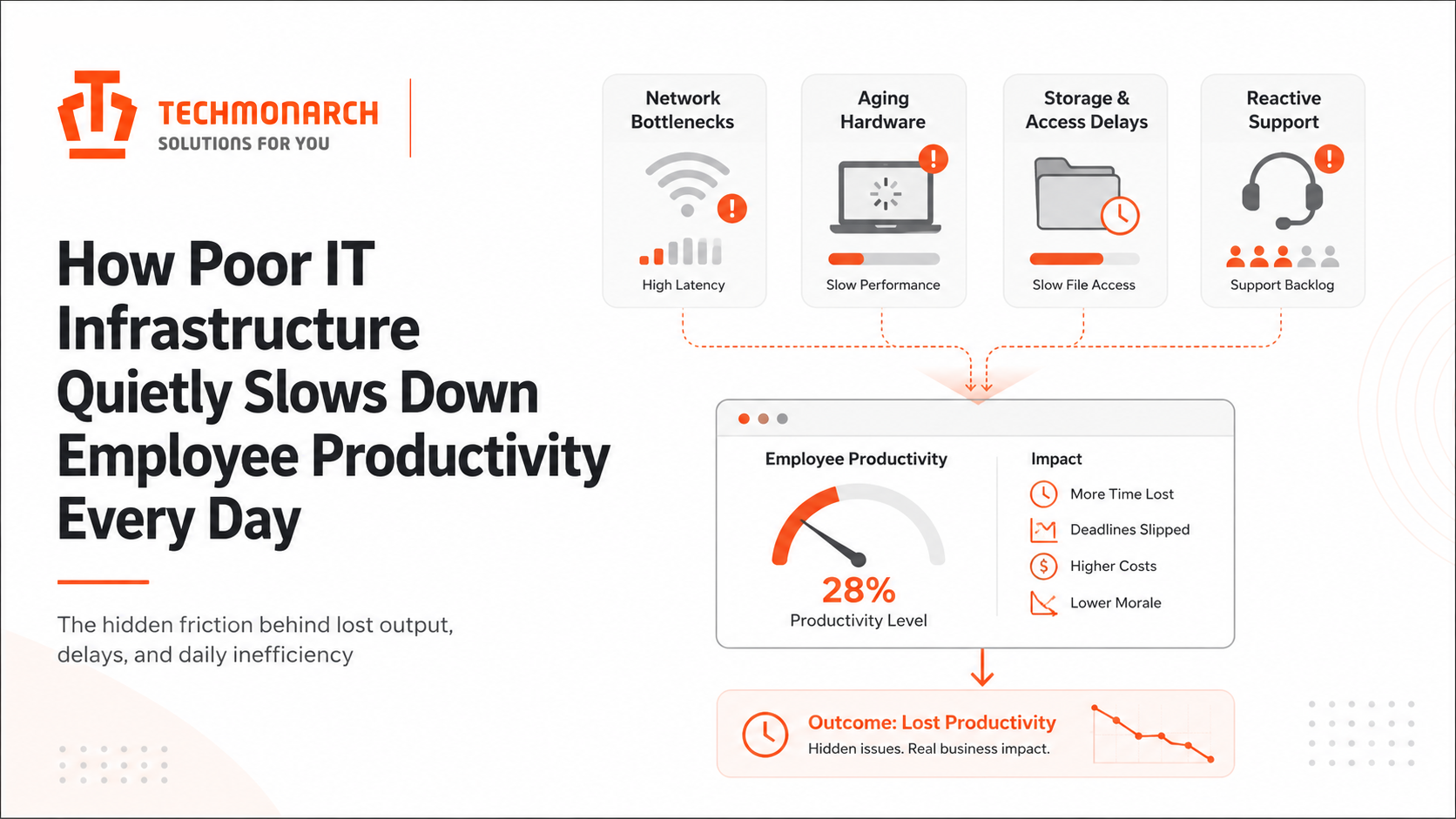
Poor IT infrastructure doesn’t usually look like a single catastrophic failure. It lives in specific, recurring patterns that your team has probably normalized:
Network Bottlenecks
When bandwidth isn’t properly allocated across departments, a heavy data transfer in one part of the office can slow down the internet for everyone else. This is especially critical in environments where cloud applications — ERP systems, video conferencing, document collaboration — are central to daily work. If your office has grown in headcount but the network architecture hasn’t scaled with it, congestion is already happening. Your team has just stopped complaining about it.

Aging Hardware
A five-year-old workstation running modern software is a bottleneck in disguise. Developers and operations teams that run resource-intensive applications on underpowered machines aren’t just frustrated — they’re operating at a fraction of their actual capacity. The machine can do the job, but the machine takes twice as long to do it. When hardware refresh cycles are stretched too thin for budget reasons, this becomes a long-term drag on output.
Storage and Access Delays
Poorly configured file servers, on-premises storage systems without proper caching, or cloud storage solutions that weren’t set up with access patterns in mind — all of these create latency when employees try to access, open, or edit files. When this happens dozens of times a day, the accumulated wait time is measurable, even if nobody is measuring it.
Support Bottlenecks
If IT support is reactive rather than proactive, employees spend time waiting for someone to fix problems that shouldn’t have occurred in the first place. Worse, they often develop their own workarounds — which introduces inconsistency, shadow IT risks, and sometimes security vulnerabilities. An employee who has learned to “just restart the service manually” because it’s faster than filing a ticket isn’t a productivity hack. It’s a sign of an under-resourced or under-structured IT function.
The Ripple Effects You’re Not Measuring
Beyond the direct time lost, there are second-order effects that affect business performance in ways that are harder to directly correlate to infrastructure.
- Decision fatigue from constant technical friction erodes the mental capacity employees bring to actual strategic tasks.
- Collaboration suffers when communication tools are unreliable. Meetings drag on as screen sharing doesn’t work, or decisions stall as shared documents aren’t syncing properly.
- Newer employees disproportionately struggle. Without informal institutional knowledge about “how things actually work here,” they lose more time navigating broken systems and are less likely to develop efficient workarounds.
- Employee morale quietly takes a hit. There’s a specific kind of frustration that comes from knowing you’re capable of doing good work, but your tools won’t let you. Over time, this breeds disengagement — and disengagement is expensive in ways that go far beyond productivity.
For IT managers, this is where the conversation with leadership often gets difficult. The cost of doing nothing isn’t visible. The cost of improving infrastructure is. That asymmetry makes it hard to justify investment — until the situation degrades far enough that a crisis makes the case on its own.
What a Well-Functioning Infrastructure Actually Looks Like
This is worth spelling out, because in organizations with persistent IT friction, the baseline gets distorted. People forget what good looks like.
A well-architected IT environment has a few defining characteristics. Systems are sized appropriately for current demand and have headroom for growth. Network infrastructure is segmented and load-managed, so one department’s activity doesn’t affect another’s. Hardware is refreshed on a defined cycle, not when it fails. Support is proactive — monitoring catches issues before they surface as employee complaints. And documentation exists, so knowledge doesn’t live exclusively in the heads of two people who have been at the company longest.
Critically, a healthy infrastructure is also one that your IT team can actually manage without being in permanent firefighting mode. When the team is spending most of their capacity on reactive support, there’s nothing left for the planning and improvements that prevent the next round of fires.
For growing businesses in Gujarat, particularly those scaling their operations in Ahmedabad or Gandhinagar, this is where having structured IT planning becomes genuinely competitive. Infrastructure that was designed for a 20-person team doesn’t scale gracefully to 80 people without deliberate architectural decisions along the way. Companies like TechMonarch work with businesses specifically on this kind of IT infrastructure planning and execution — helping organizations think ahead rather than react.
The Staffing Dimension: When IT Capacity Doesn’t Match Demand
There’s another side to this that often gets overlooked: the people responsible for managing the infrastructure. Many mid-sized companies find themselves in a position where their internal IT team is technically capable, but simply doesn’t have the capacity to handle everything on their plate. The result is that important maintenance, upgrades, and planning work gets perpetually deferred.
This isn’t a skills problem. It’s a capacity problem. And it has a straightforward structural solution: augmenting your team with external resources that can handle specific functions — whether that’s network administration, systems monitoring, helpdesk support, or project-based infrastructure work.
The goal isn’t to replace internal IT capability. It’s to make sure that the high-judgment, strategic work your team is uniquely positioned to do doesn’t get crowded out by operational volume. Staff augmentation for IT roles, done thoughtfully, can be the difference between an IT team that’s always behind and one that’s actually ahead of the curve.
Closing the Gap Between What You Have and What You Need
The first step is honest assessment. Not the official uptime stats, but a qualitative audit of where your employees actually lose time to technology. Sit with people in different departments for a day. Watch how long things actually take. Ask what workarounds people have quietly developed. What you find will almost certainly surprise you.
From there, prioritization matters more than perfection. You don’t fix everything at once. You identify the highest-friction points — the ones affecting the most people or the most critical workflows — and address those first. Infrastructure improvement is iterative by nature.
What tends to shift things for organizations is treating IT infrastructure less like overhead and more like a performance lever. The question isn’t “how much does it cost to fix this” but “what is it costing us, daily, to leave it broken.” When framed that way, the math usually changes.
Your employees are doing their best with the tools they have. The real question is whether those tools are doing the same.
Recent Posts
- What Ahmedabad Businesses Get Wrong About IT Compliance Under India's DPDP Act
- A Look Inside How We Manage IT Infrastructure for Ahmedabad Businesses Across Industries
- Why Gandhinagar's Growing IT/ITES Sector Needs Local Managed Support, Not Remote-Only Vendors
- IT Infrastructure Checklist for Companies Moving Into SG Highway and Prahlad Nagar Offices
- How Ahmedabad-Based Startups Can Build Enterprise-Grade IT Without Enterprise Budgets
Recent Comments
- No comments to show