
-
Vijit
- August 24, 2026
- No categories assigned.
- No Comments
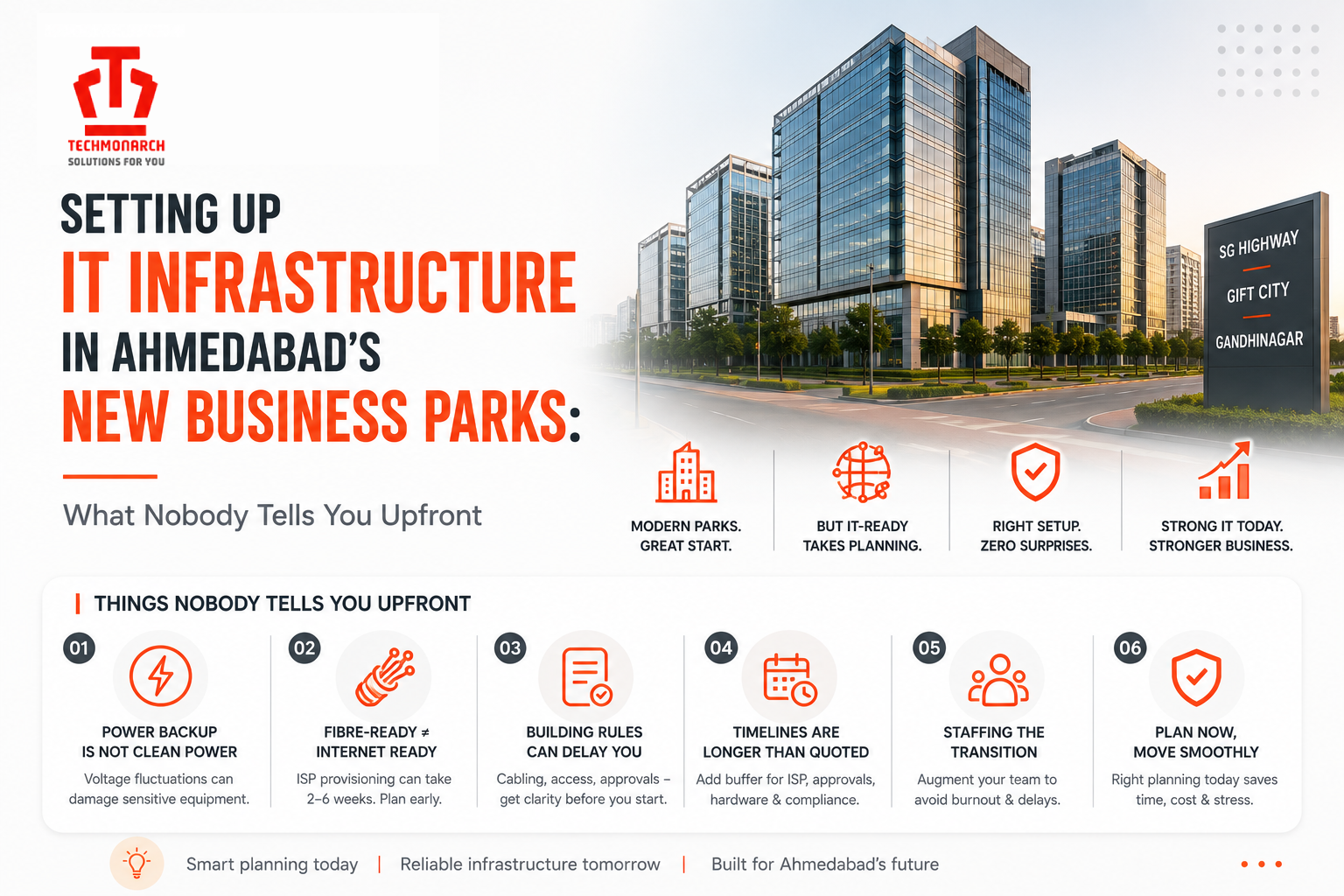
Setting Up IT Infrastructure in Ahmedabad’s New Business Parks: What Nobody Tells You Upfront
If you’ve signed a lease anywhere along SG Highway, Sindhu Bhavan Road, or one of the newer SEZ towers near GIFT City in the last year or two, you already know the pitch. Grade A building, 24/7 power backup, fibre-ready floors, lift lobbies that look like they belong in a five-star hotel. It’s all true, mostly. What the leasing brochure doesn’t tell you is what happens between the day you get possession and the day your team can actually log in and work without someone calling IT every hour.
We’ve set up networks, server rooms, and workstations in more than a few of these buildings over the past couple of years, and the gap between “the building is ready” and “the building is IT-ready” is bigger than most founders and even a lot of IT managers expect. Here’s what tends to catch people off guard.
Power backup isn’t the same as clean power
Every new business park in the city advertises 24/7 diesel generator backup, and technically that’s correct. What isn’t advertised is the quality of that power once it reaches your rack. DG sets are built to keep the lights on and the lifts running; they were never designed with sensitive networking gear or servers in mind. Voltage fluctuations during changeover from grid to DG, and back again, are common, and if your switches, firewalls, and NAS units aren’t sitting behind a properly sized UPS with surge protection, you’ll see it in the form of random reboots, corrupted files, or hardware that quietly dies six months earlier than it should have.
The other thing owners rarely budget for is UPS runtime versus changeover time. Most buildings switch from grid to DG within thirty to ninety seconds, which sounds fast until you realise a cheap UPS won’t hold that gap cleanly for a rack full of equipment. Sizing this correctly, before you move in rather than after the first outage, saves a lot of grief later.
Fibre-ready floors still need a lot of legwork
“Fibre-ready” usually means the building has a designated telecom room and ducting laid from the ground floor to each level. It does not mean an internet connection is waiting for you on move-in day. Getting an ISP to actually pull a line into a brand-new tower in a business park that opened six months ago can take anywhere from two to six weeks, sometimes longer if the last mile hasn’t reached that specific stretch of road yet. This is especially true for some of the newer developments coming up around SG Highway and toward GIFT City, where the buildings are ready well before the surrounding telecom infrastructure has fully caught up.
Our advice is always the same: start the ISP conversation the day you sign the lease, not the week before you plan to move furniture in. And don’t stop at one provider. A single-link setup with no failover is asking for trouble the first time there’s roadwork or a fibre cut nearby, which, in a city expanding this fast, happens more often than anyone would like. A primary fibre line with a secondary connection from a different provider, set up to fail over automatically, is a small cost against the very real cost of a full day of downtime for your whole office.

The building’s IT rules aren’t always your rules
Most of these newer commercial towers are professionally managed, which is generally a good thing, but it also means there’s a facility management team sitting between you and your own cabling. Riser access for running cables between floors, permissions for mounting equipment outside your leased space, working hours for any noisy installation work, and even something as basic as who holds the keys to the shared telecom room, all of this is governed by building policy, not by you.
We’ve seen companies lose a week or more simply waiting on facility approvals they didn’t know they needed, because nobody flagged it during the fit-out planning stage. If you’re setting up in one of these parks, get your IT vendor talking to the building’s facility manager early, ideally before your interior work even starts, so there are no surprises when it’s time to actually pull cable.
The real timeline is longer than the quote suggests
Ask any IT infrastructure vendor for a project timeline and you’ll usually get an honest estimate for the work itself, cabling, server room setup, network configuration. What that estimate often leaves out are the dependencies outside anyone’s direct control, ISP provisioning, building approvals, hardware lead times if you’re importing certain networking equipment, and occupancy certificate formalities that some of these still-maturing developments haven’t fully ironed out. A project that looks like three weeks of work on paper can easily stretch to six or seven once you account for all of this.
Building in buffer time, and being upfront with your own leadership about where the delays are likely to come from, saves a lot of awkward conversations later. It’s also worth sequencing your move so that IT setup starts well before furniture and staff arrive, not in parallel with it.
Staffing the transition is its own headache
New office, new location, often a slightly different commute for your existing IT staff, and usually a spike in workload right when you need reliable people the most. A lot of growing companies moving into these business parks find their in-house IT team, sometimes just one or two people, suddenly stretched between managing the physical move and keeping day-to-day operations running for everyone else. This is one of the more common reasons companies bring in short-term staff augmentation for the transition period, rather than either overloading their own team or trying to hire permanently for what is, at that stage, a temporary spike in work. It’s a smaller commitment than a full-time hire and it means the move doesn’t come at the cost of everything else IT is supposed to be doing.
A short checklist before you sign anything
Before finalising a space in any of these newer parks, it’s worth getting clear answers on a few things: what the actual DG changeover time is, not just the advertised backup hours; whether more than one ISP has active infrastructure at that address; what the building’s policy is on cabling, riser access, and equipment mounting; and whether there’s a dedicated, lockable space for your networking equipment rather than a shared cupboard. None of these questions are unusual to ask, and any building management team dealing with commercial tenants regularly should have straightforward answers ready.
Ahmedabad’s business park boom, from SG Highway to the corridor stretching toward GIFT City and Gandhinagar, is genuinely good news for companies here. The buildings are better than what existed five years ago, and the intent behind these developments is solid. But “new and modern” doesn’t automatically mean “plug and play” for IT. A bit of planning before the lease is signed, and a realistic view of what happens in the weeks after, makes the difference between a smooth move and a few very frustrating months.
If your team is planning a move into one of these business parks and wants a second opinion on the infrastructure side before you commit to a space, that’s a conversation worth having early rather than after the keys are in hand. Techmonarch works with companies across Ahmedabad and Gandhinagar on exactly this kind of planning and execution, alongside our managed IT services and staff augmentation support for teams going through a transition.
Recent Posts
- Why Your IT Infrastructure Keeps Breaking During Peak Business Hours
- Why IT Vendors in Ahmedabad Take Days to Respond — And What "Managed" Should Actually Mean
- Why More Ahmedabad Companies Are Switching From Freelance IT Support to Managed Partners
- What Ahmedabad Businesses Get Wrong About IT Compliance Under India's DPDP Act
- A Look Inside How We Manage IT Infrastructure for Ahmedabad Businesses Across Industries
Recent Comments
- No comments to show